


My Store
PS5 Wireless Controller with Turbo, RGB Lighting & Dual Vibration
PS5 Wireless Controller with Turbo, RGB Lighting & Dual Vibration
Couldn't load pickup availability
- 【Usage Notes】When using the gamepad for the first time, it needs to be connected to the PS5 console via a USB-C cable(It must be the data cable included in the package or the original data cable), and then press the Home button to activate it. The gamepad is only compatible with PS5 series consoles and Windows PCs, and it is not compatible with PS4.
- 【One-click wake-up】After completing the first connection, you only need to press the HOME button on the controller to turn on the PS5 console. It also supports use on computers with Windows operating system.
- 【Controller with Sound】 The controller is capable of producing sound, providing an immersive gaming experience. Please note that the controller is only equipped with a speaker and has no microphone. If you want to use the microphone fuacnction, please use an external headset. It is equipped with a 3.5mm TRRS headphone jack(not compatible with Apple headphones.)
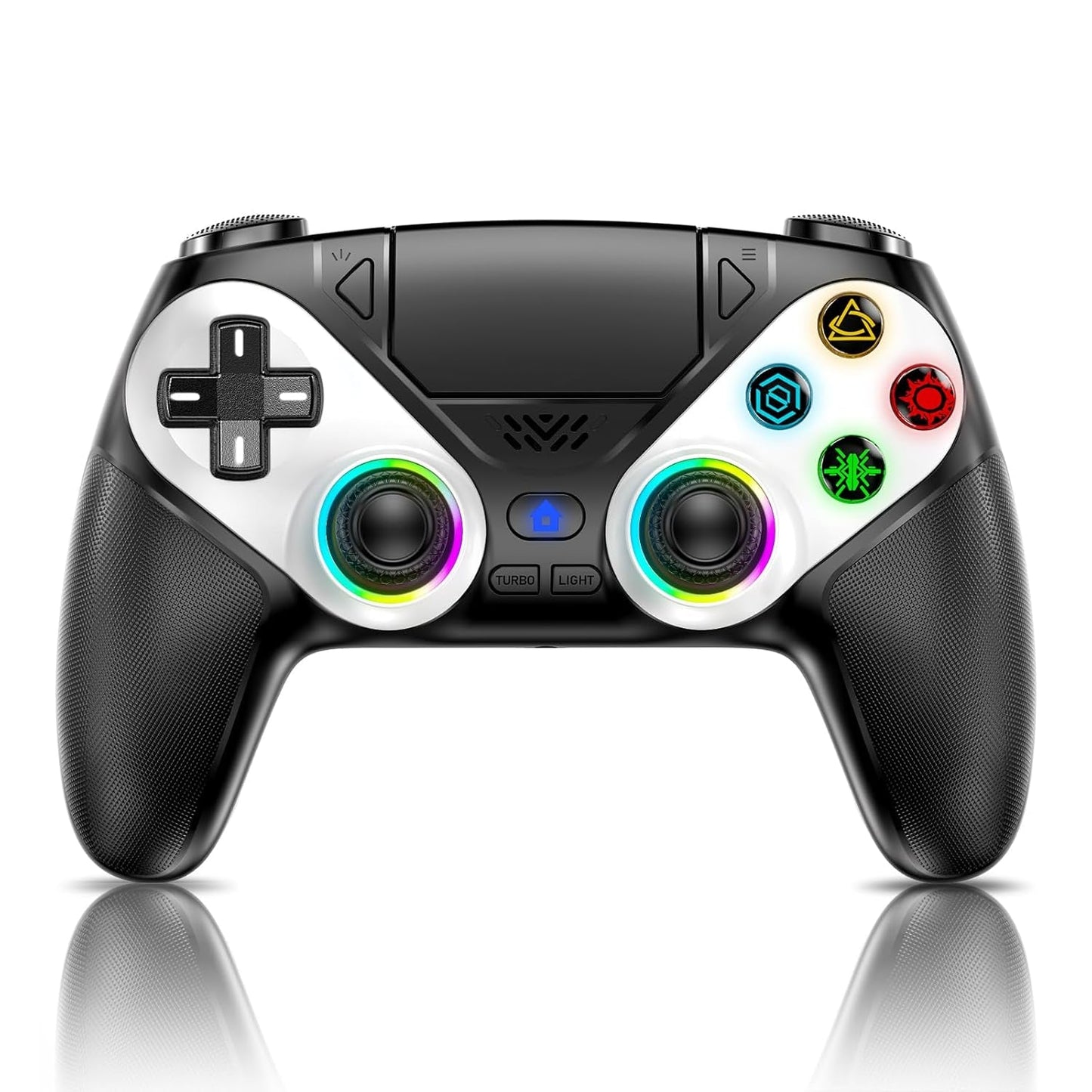
- 【Customizable Colors】Press the Lighting button to switch colors and light effect modes with one click. It features a color memory function, ensuring that the next time you use it, it will still be the color you prefer.
- 【High - Precision Joysticks】Equipped with upgraded joysticks, these effectively reduce the joystick dead zone and extend the controller's service life.
- 【Multiple Functions】10 times/second Turbo function can be set, supporting up to 16 keys programming, making your gaming experience even better
- 【Immersive Gaming Experience】Featuring dual - vibration function and paired with a high - precision 6 - axis gyroscope, this product elevates your gaming experience to a whole new level. It's an ideal choice, whether for personal use or as a gift.
Product description
-
How should the controller be connected to the PS5 console for the first time? (Step 1)
Step 1: Connect the PS5 console and the controller with a USB-C data cable that comes with the package(OR PS5 original data cable ). Please note that there must be a USB-A interface at the rear of the general PS5 console.
-
How should the controller be connected to the PS5 console for the first time? (Step 2)
Step 2: After the connection is completed, press the Home button on the gamepad. If you see the light flashing slowly, it means the pairing is successful, and you can use a wireless connection to the PS5 console subsequently.
-
What hosts can the controller be compatible with?
It can compatible with PS5/PS5 Pro/PS5 Slim and Windows PC, NOT For Mac, PS4 and Phone.
-
Cannot charge at charging stations
The controller does not work with the charging station and only supports USB-C charging
-
How to calibrate the triggers and joysticks -for joystick drift and trigger problems
1. Enter Calibration Mode: Power off the controller(after connecting to PS5), hold Share + Menu, press Home. Wait for rapid Home button flashing.
2. Calibrate: Press triggers 3-5 times, rotate joysticks 3-5 circles, confirm with X. Done.
Low stock: 10 left
Product Specification
Product Specification
In-game actions and environment simulated through haptic feedback.
Additional Information
Additional Information
In-game actions and environment simulated through haptic feedback.
 Shipping & Returns
 Warranty
 Secure Payment




Find the Gear That Makes You Unstoppable
Play your best with gaming gear made to help you win. Our collection of top-quality gaming equipment helps you play better, faster, and smarter. Stay ahead of the competition and unlock your full potential. Conquer every game easily.

Different Varieties of Controllers, Mouse Pads, and Consoles
Find all the gear you need to build your dream gaming setup. From controllers to mouse pads and consoles, our selection will give you everything you need for an awesome gaming experience. From customizable buttons to designs that show off your personal style, find the perfect fit.